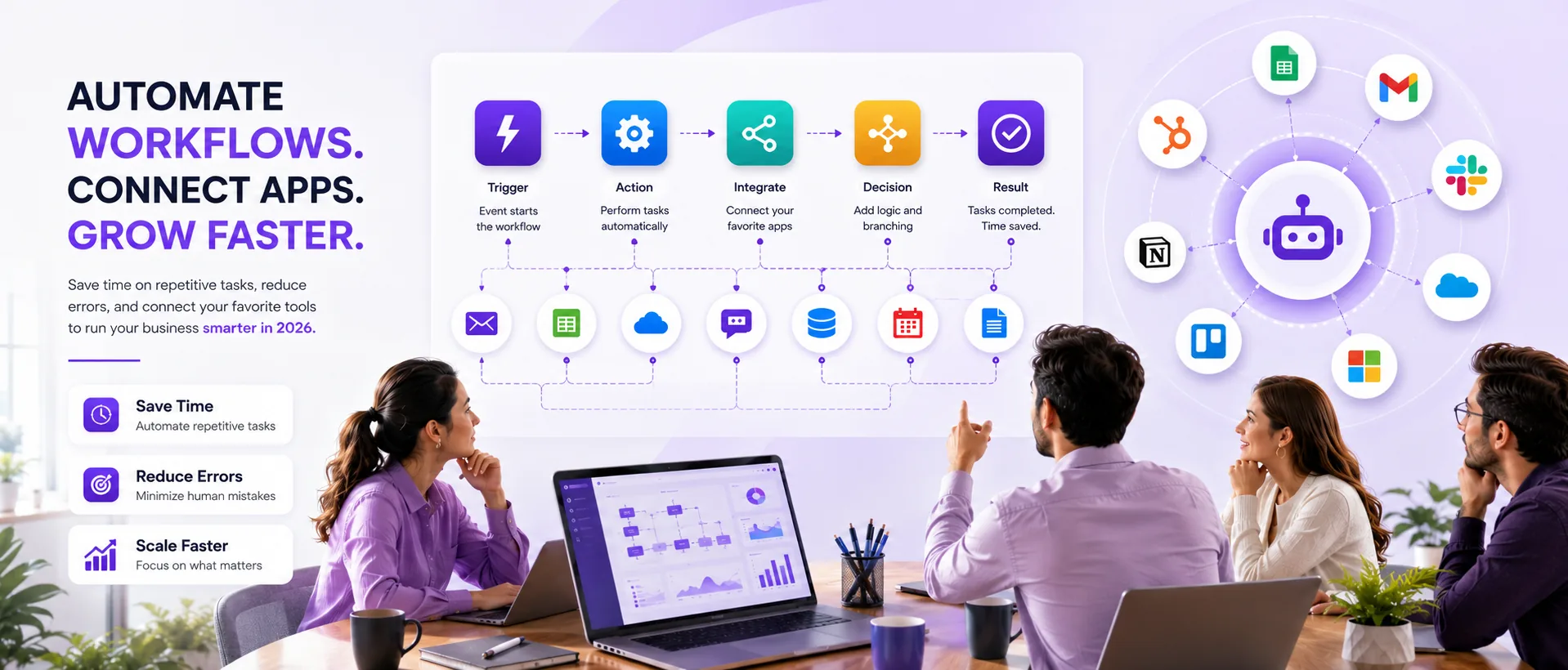
This guide explains how workflow automation software functions and offers practical advice on selecting the right tools for small and medium businesses in 2026. It includes a comparison of leading platforms, pricing details, common mistakes, and an illustrative case study.
If you are evaluating workflow automation software for your business in 2026, you are probably asking: How do these tools actually work, which platforms fit my needs, and what should I budget? This guide breaks down how workflow automation software functions, compares the top platforms (n8n, Zapier, Make, HubSpot, Power Automate), and explains pricing, common mistakes, and the steps to get started. Whether you run a growing agency, a SaaS startup, or a small e-commerce operation, you will find practical advice here to help you choose the right automation tools and avoid costly missteps. If you need help with implementation or want to discuss a custom build, you can always contact Prompt Gurru for a discovery call. This guide also covers automation tools 2026.
How Workflow Automation Software Works
Workflow automation software lets you connect different apps and automate repetitive business processes without manual intervention. At its core, these platforms use triggers (such as a new lead in your CRM or a form submission) to start a series of actions, like sending emails, updating records, or notifying your team. Most modern automation tools offer no-code or low-code interfaces, so you do not need to be a developer to build useful automations.
- Platform choice: n8n, Zapier, Make, HubSpot, or Power Automate bill differently.
- Workflow complexity: Branching logic and integrations drive build hours.
- Task or operation volume: SaaS plans charge per run; model expected monthly volume.
- Custom UI or apps: Portals and mobile clients add scope beyond orchestration alone.
- Support and maintenance: Budget for hosting, API usage, and an annual retainer.
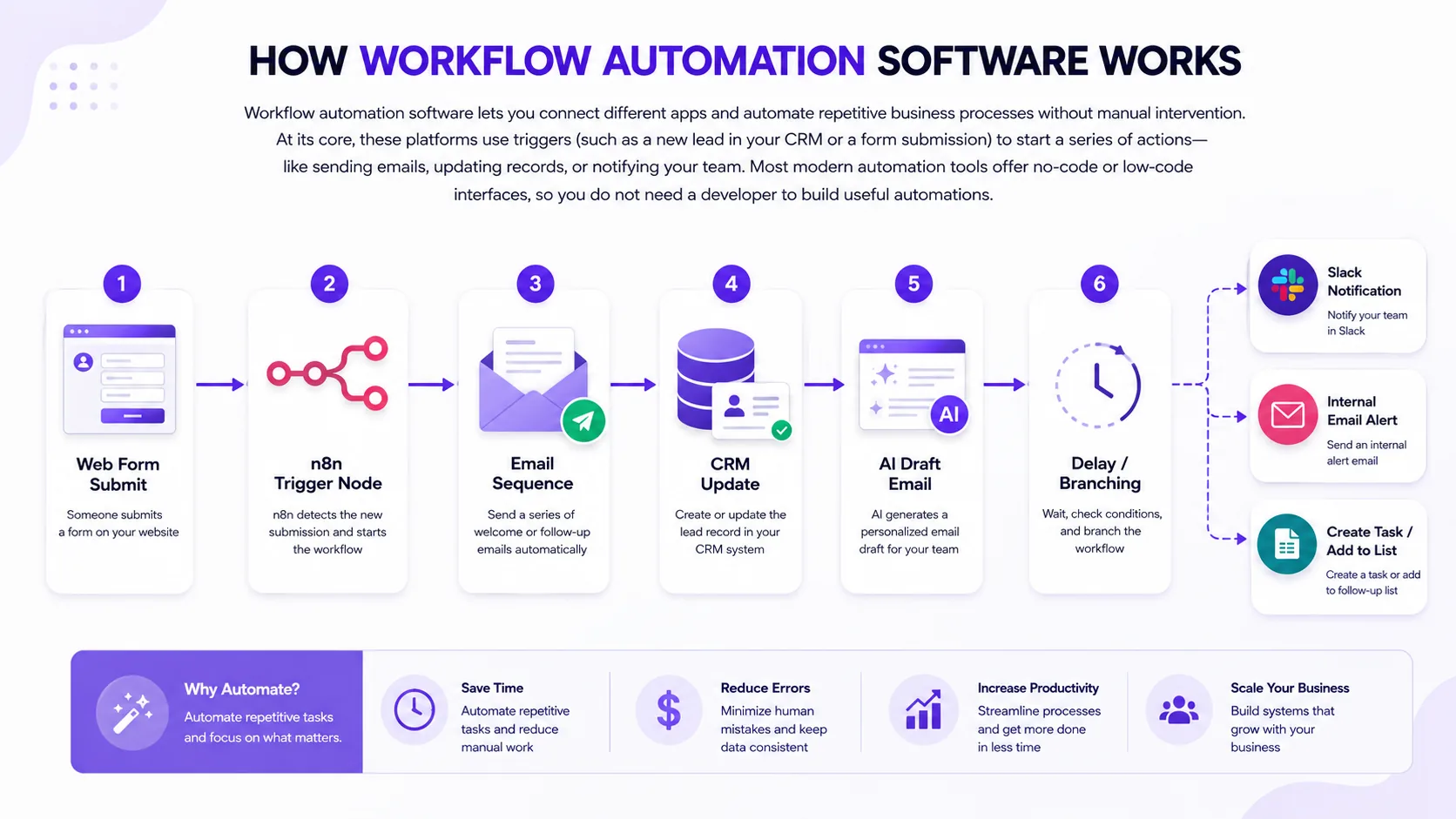
Common triggers include webhooks (events sent from one app to another), scheduled tasks (like running a report every Monday), or changes in a database. Actions can range from sending a Slack message to updating a Google Sheet, or even invoking AI tools like OpenAI to generate content. Integration with SaaS apps is key, platforms like n8n and Zapier support hundreds of connectors, making it possible to link your CRM, email, marketing, and accounting tools in a single automated workflow.
No-code and low-code platforms have made automation accessible to non-technical teams. You can drag and drop steps, set up conditional logic (if/then branches), and test your automations before going live. For example, a typical small business might automate lead capture from a website form, trigger a personalized email sequence, and notify sales reps in Slack, all without writing code. In our client projects, we often use n8n for orchestrating multi-step workflows, especially when AI or custom API calls are involved.
With the right setup, workflow automation software can save dozens of hours per month and reduce manual errors. The key is mapping your processes and choosing tools that fit your technical comfort and integration needs.
Common Mistakes When Buying Workflow Automation Software
Many teams rush into buying workflow automation software based on brand recognition or peer recommendations, only to discover the tool does not fit their business processes. Here are some of the most common pitfalls we see when helping clients select and implement automation tools:
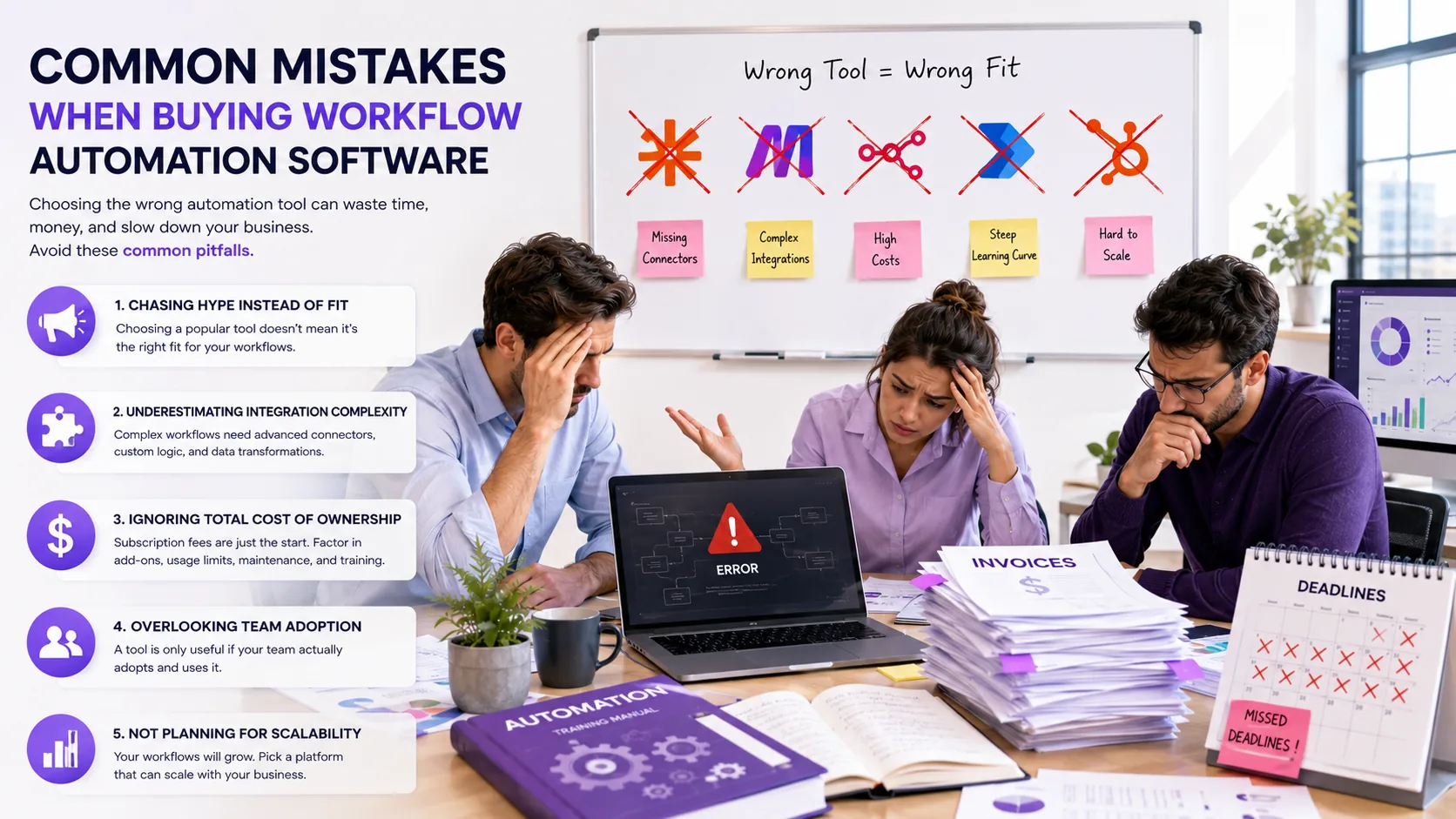
- Chasing hype instead of fit: Teams often default to the most popular platform, even if it lacks the connectors or logic needed for their workflows.
- Underestimating integration complexity: Some workflows require custom API calls, advanced branching, or data transformations that basic tools cannot handle.
- Ignoring total cost of ownership: Subscription fees are just the start, factor in hosting (for self-hosted tools), API usage, onboarding, and ongoing training.
- Overlooking execution limits: Many SaaS automation tools cap the number of tasks or operations per month, which can throttle your growth or trigger surprise overages.
- Skipping maintenance planning: Automations need updates as your business and tech stack evolve. Without a plan for documentation and revisions, workflows can break or become obsolete.
In our experience, the best results come from matching the tool to your actual workflow needs, not just what is trending. A discovery session and process mapping exercise can save you months of frustration and rework.
Comparison of Leading Workflow Automation Platforms in 2026
Platform fit depends on deployment model, integration depth, pricing basis, and who will maintain workflows day to day. The comparison table below summarizes how the main options differ for typical SMB use cases.
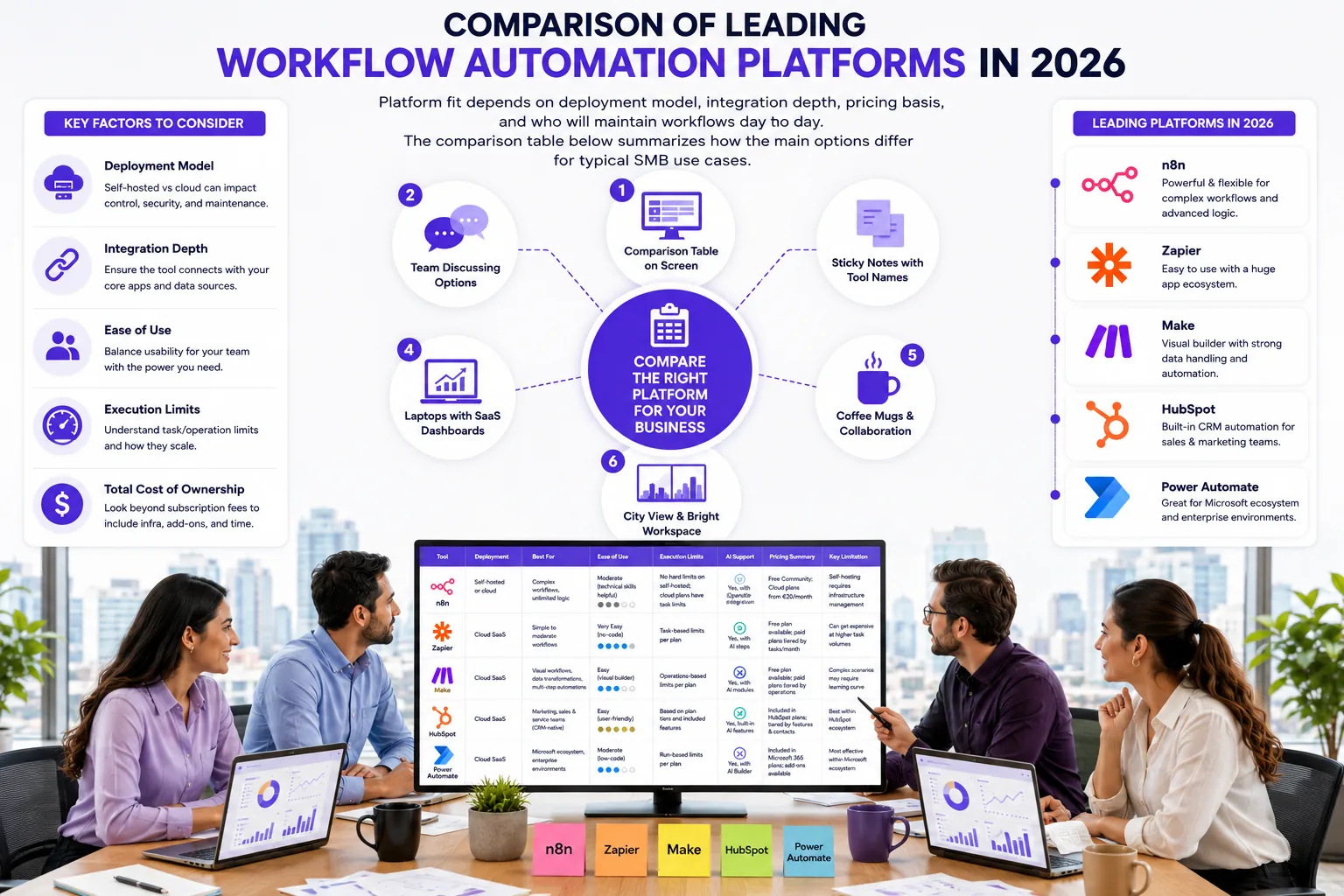
| Tool | Deployment | Best for | Ease of use | Execution limits | AI support | Pricing summary | Key limitation |
|---|---|---|---|---|---|---|---|
| n8n | Self-hosted or cloud | Complex workflows, unlimited logic | Moderate (technical skills helpful) | No hard limits on self-hosted; cloud plans have task limits | Yes, with OpenAI integration | Free Community; Cloud plans from €20/month (see n8n pricing) | Self-hosting requires infrastructure management |
| Zapier | Cloud SaaS | Simple to moderate workflows, non-technical users | High (user-friendly no-code) | Task-based limits (starting 100 tasks/month free tier) | Basic AI steps | Free tier; Paid plans from $19.99/month (see Zapier pricing) | Limited complex branching and logic |
| Make | Cloud SaaS | Visual scenario builder, moderate complexity | Moderate | Credit/operation-based plans | Some AI integration | See official Make pricing | Pricing complexity; requires credit management |
| HubSpot | Cloud SaaS | CRM-centric marketing and sales automation | High for marketers | Hub-tier limits; onboarding fees apply | AI-powered marketing tools | See official HubSpot pricing | Cost can escalate quickly for full features |
| Microsoft Power Automate | Cloud SaaS | Microsoft 365 ecosystem, enterprise workflows | Moderate | Per-user and per-flow limits | AI Builder integration | $15/user/month for premium plans (see Power Automate pricing) | Best for Microsoft-heavy environments |
Each platform has its sweet spot. For example, n8n is our go-to for custom logic, unlimited branching, and AI steps, especially when self-hosting is an option. Zapier is ideal for teams who want to automate quickly without technical skills, while Make offers a visual builder for more complex scenarios. HubSpot is best for marketing and sales teams already using its CRM, and Power Automate excels in Microsoft-centric organizations. Always check the latest pricing and feature tiers on the vendor sites linked above.
Pricing Overview and Total Cost of Ownership
Pricing for workflow automation software varies widely depending on deployment, usage, and support needs. Here is a summary of the main cost drivers to consider when budgeting for automation in 2026:
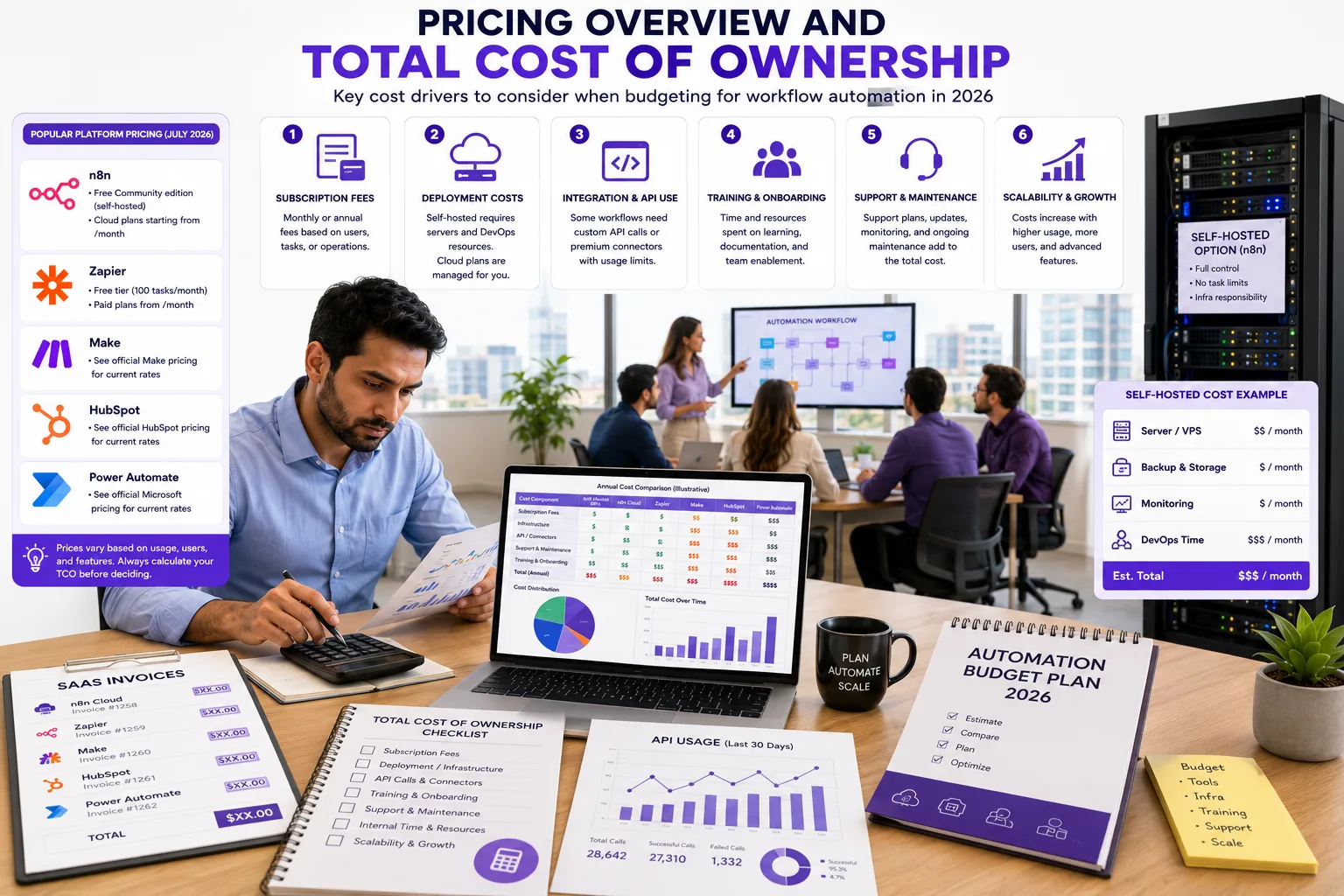
- Subscription fees: Most cloud platforms charge monthly or annual fees based on users, tasks, or operations. For example, n8n offers a free Community edition (self-hosted) and paid Cloud plans starting from $20/month as of July 2026 ( see n8n pricing ). Zapier has a free tier (100 tasks/month) and paid plans from $29/month ( see Zapier pricing ). Make and HubSpot require you to see official Make pricing and see official HubSpot pricing for current rates. Power Automate premium plans start at $15/user/month ( see Power Automate pricing ).
- Hosting costs: If you self-host n8n or a similar tool, budget for server hosting ($10 to $50/month for small instances), backups, and security updates.
- API usage and overages: Many platforms and connected apps charge for API calls or have monthly quotas. Heavy automation can trigger extra costs if you exceed included limits.
- Onboarding and training: HubSpot and some enterprise tools charge onboarding fees; plan for initial training time or consulting, which can vary depending on the complexity of your workflows and team size.
- Custom build costs: For SMBs hiring a US-based agency to scope, build, test, and train on a custom n8n or OpenAI workflow, illustrative project ranges are $3,000 to $10,000 for a typical 1 to 3 workflow setup (discovery, build, QA, documentation, and training included). Hourly bands are $100 to $200/hr for boutique agencies and $150 to $250/hr for specialist automation studios, covering discovery, build, and rollout.
- Ongoing maintenance: Budget 10% to 20% of initial build cost per year for updates, new integrations, and troubleshooting.
Pricing disclaimer: All SaaS prices and custom build ranges are indicative as of July 2026 and vary by scope, usage, and vendor. Always check n8n, Zapier, Make, HubSpot, and Power Automate for current pricing.
When budgeting, always include the total cost of ownership: subscription, hosting, API usage, onboarding, and ongoing support. This avoids surprises and helps you scale automation as your business grows.
Illustrative Case Study: SMB Automates Lead Follow-Up Workflow (illustrative example)
Before
Illustrative example: A 10-person marketing agency spent 15 hours per week manually following up with leads. They tracked prospects in spreadsheets, leading to frequent data entry errors and missed follow-ups. As a result, opportunities were lost due to inconsistent timing and lack of personalized outreach.
Solution
The agency engaged Prompt Gurru to design an n8n workflow that captured leads from web forms and synced them with the CRM. Automated email sequences were triggered for each new lead, with delays and branching logic based on lead source and engagement. OpenAI was integrated to draft personalized email content, reducing the manual writing burden on staff.
Results
Manual follow-up time dropped to under 3 hours per week. Lead engagement and response rates improved as emails were timely and personalized. Agency staff were able to shift focus from repetitive admin to higher-value client work. This is a common pattern we see in workflow automation case studies for small business automation.
Roadmap for Buying and Implementing Workflow Automation Software
Rolling out workflow automation software is not just about picking a tool, it is a process. Here is a practical roadmap we use with clients to ensure a smooth implementation:
- Assess processes: Map out your current business processes and identify repetitive, rules-based tasks that are good automation candidates. Prioritize tasks based on impact and ease of automation.
- Evaluate tools: Shortlist platforms based on your technical comfort, required integrations, and budget. Use the comparison table above as a starting point. Consider trial periods and vendor support responsiveness.
- Plan integrations: Document how data will flow between apps, what triggers each workflow, and where manual intervention is needed. Define data security and compliance requirements.
- Pilot workflows: Start with a single high-impact workflow and test it with a small team. Gather feedback, monitor performance, and iterate before scaling up. Use pilot results to refine your automation strategy.
- Train and document: Create clear documentation and train users to ensure adoption and smooth handover. Develop user guides and provide ongoing support channels.
- Review and expand: Schedule regular reviews to optimize workflows and add new automations as your needs evolve. Track ROI and adjust automation priorities accordingly.
- Map processes
- Shortlist tools
- Plan integrations
- Pilot workflow
- Train users
- Review & expand
If you want help mapping your automation journey, Prompt Gurru offers discovery sessions and can scope your project from process mapping through to rollout and training.
Frequently Asked Questions About Workflow Automation Software
Business owners and ops leads often have similar questions when evaluating workflow automation software. Here are answers to the most common ones we hear in client calls:
- What are the key differences between no-code and low-code platforms? No-code tools like Zapier are designed for non-technical users and offer drag-and-drop interfaces. Low-code platforms like n8n allow more customization, API calls, and complex logic, but may require some technical skill.
- How do I know if I need a self-hosted or cloud solution? If you have strict data privacy needs or want unlimited workflow execution, self-hosting (e.g., n8n Community) is a good fit. Cloud SaaS is easier to maintain and scales with your usage, but may have execution or integration limits.
- What limits should I watch for in automation platforms? Look for monthly task or operation caps, API call quotas, and user seat limits. These can impact your ability to scale or trigger surprise costs.
- Can workflow automation replace manual tasks entirely? Automation can eliminate many repetitive tasks, but some processes still require human review or intervention, especially for exceptions or complex decisions.
- How do AI integrations enhance workflow automation? AI steps (like OpenAI) can generate content, classify data, or trigger actions based on natural language input, making automations smarter and more flexible.
For more answers, check our other automation articles or book a call to discuss your specific use case.
Practitioner Insights: Choosing and Using Workflow Automation Tools
Having built dozens of automations for startups and SMEs, we have seen what works (and what does not) in the field. Here are a few practitioner insights to help you get the most from workflow automation software:
- n8n is our top pick for custom, complex workflows, especially when you need AI steps, custom API calls, or unlimited logic. We use the n8n Webhook node, OpenAI integration, and branching logic in most client builds.
- Zapier or Make suit non-technical teams who want to automate quickly and do not need deep customization. Make is especially good for visual scenario building.
- Plan for scale: Start with one or two high-impact automations and expand as your team gets comfortable. Document every workflow and train your team to avoid knowledge silos.
- Documentation and training are critical: Even the best automation breaks if no one knows how it works. We provide step-by-step guides and training videos for every client project.
- When to hire a studio: If your workflows involve multiple apps, custom logic, or AI, a custom software studio like Prompt Gurru can scope, build, and maintain your automations for you.
Practitioner tip: "Always start with a process map and a pilot workflow. Test with real data, document every step, and plan for regular reviews. This keeps your automations reliable and your team confident."
For more on our approach, see our automation implementation articles or contact us for a discovery session.
About the author
Prompt Gurru Team is an AI automation and custom software studio with 10+ years experience. We specialize in n8n workflow automation, OpenAI integrations, and CRM syncing for startups and SMEs in 25+ countries. Our team handles discovery, build, testing, and training for every automation project. If you want to discuss your automation needs or get a quote, contact us or book a free discovery call.
Additional Resources
Ready to automate your business?
We build n8n workflows, AI pipelines, Flutter apps, and custom software for startups and SMEs - like the system that powers this blog.
Book a free discovery call